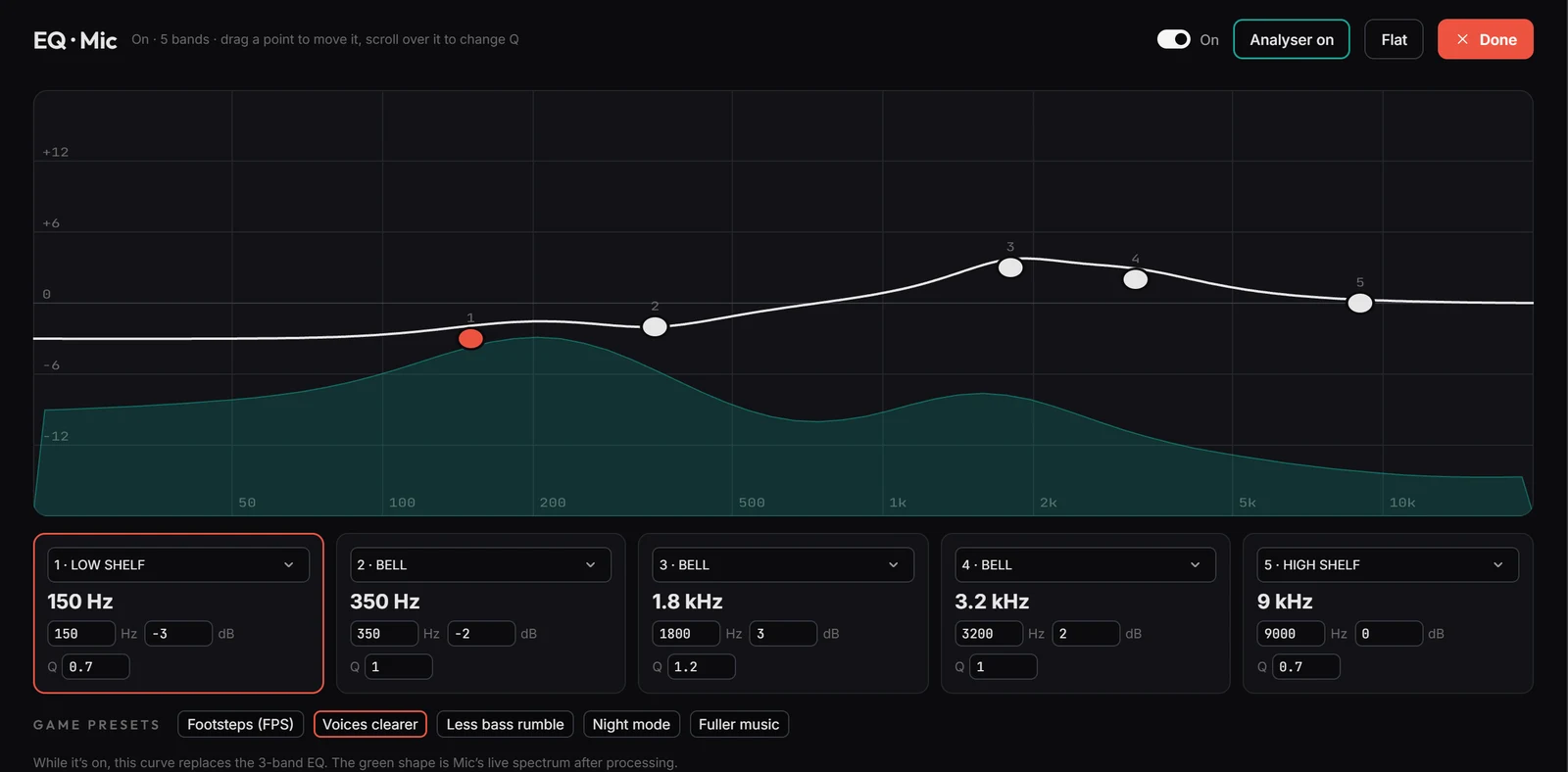
See what you hear
Switch the EQ to five parametric bands and it draws your sound live while you shape it. Start from a preset: Footsteps (FPS), Voices clearer, Less bass rumble, Night mode or Fuller music.
Kanade · Audio routing for creators
Kanade puts your mic, your game, your music and your apps into one mixer, then makes a separate mix for your stream, your Discord call and your recording. Mute or turn down anything in one of them and leave the others alone.
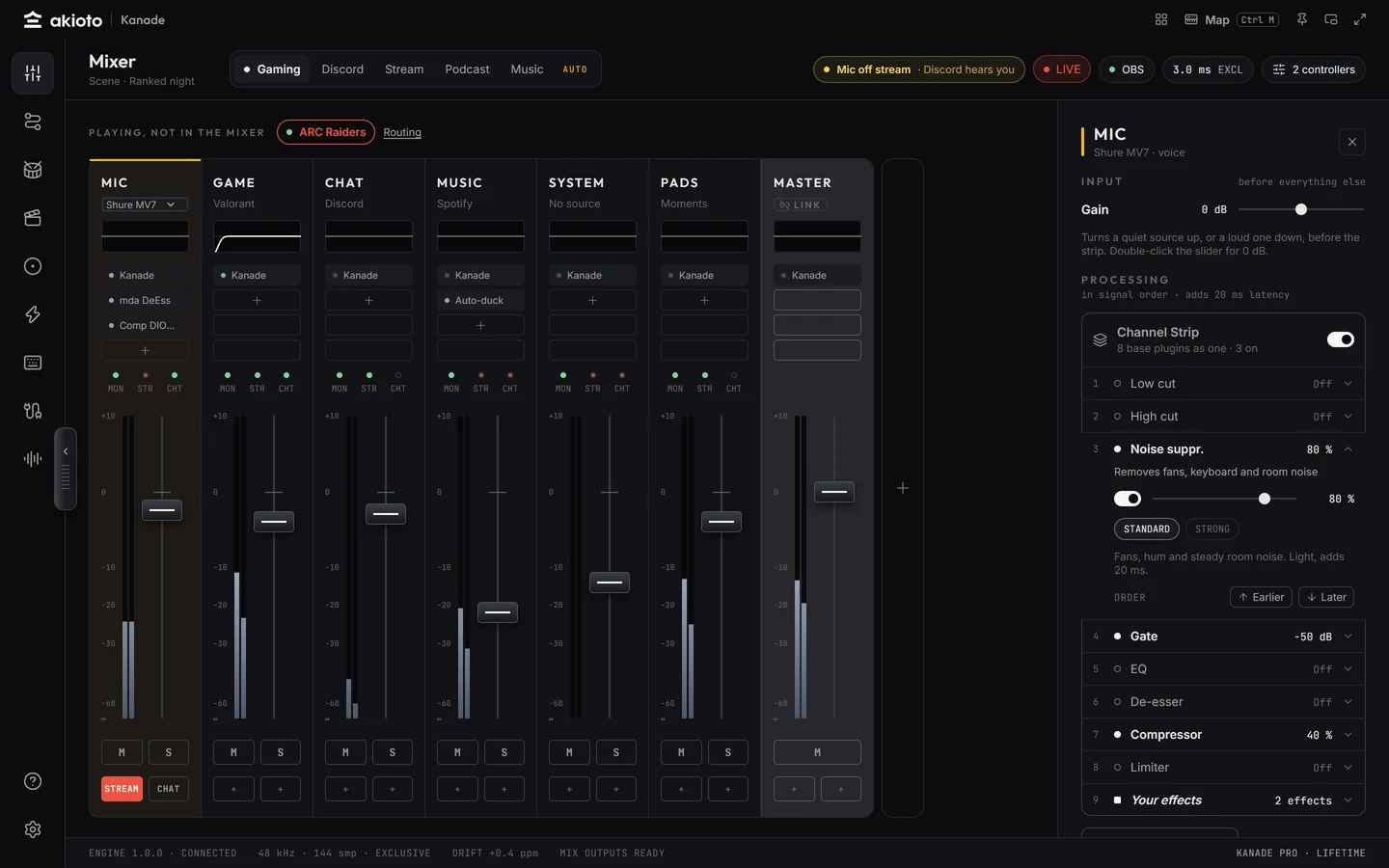
One mixer, four destinations
Kanade mixes once and sends four ways. Mute to stream while your team still hears you. Cough without anyone noticing. Talk to chat only, with a key held down. Each mute knows where it applies.
On Windows, send the Stream and Chat mixes to a second output of your audio interface or to a virtual cable, then pick it in OBS and Discord. On Mac, Kanade’s own audio devices do this for you.
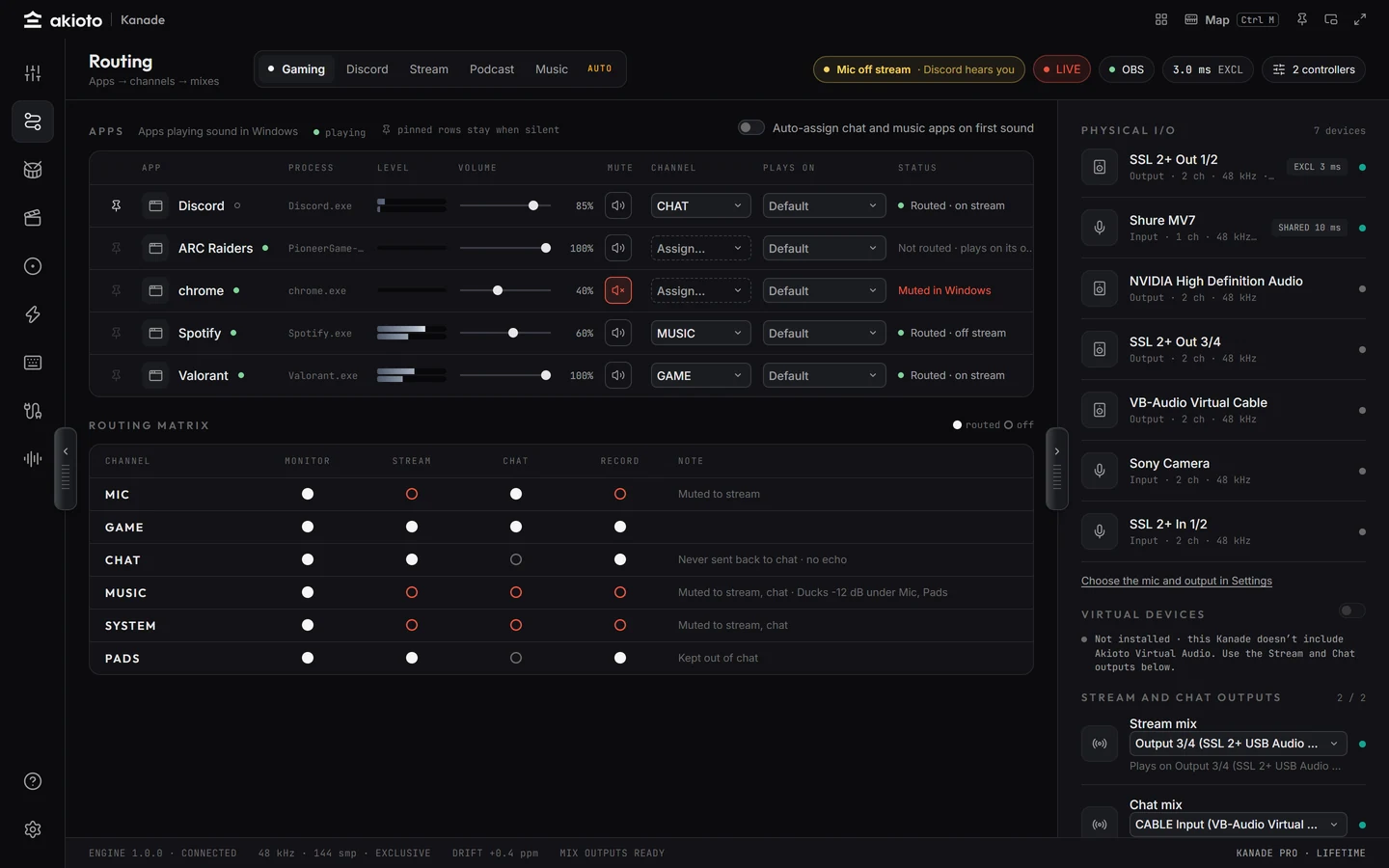
Every app, its own fader
Put games, browsers, music and Discord on channels of their own, then choose which mixes each one reaches. Take the music off the stream and keep hearing it.
Free puts one app on a channel. Pro takes up to 16.
Plugins
Every channel has the Channel Strip: eight base plugins in one, in the order you like, with voice presets that start in the right place. They are free. With Pro, add your own effects next to them.
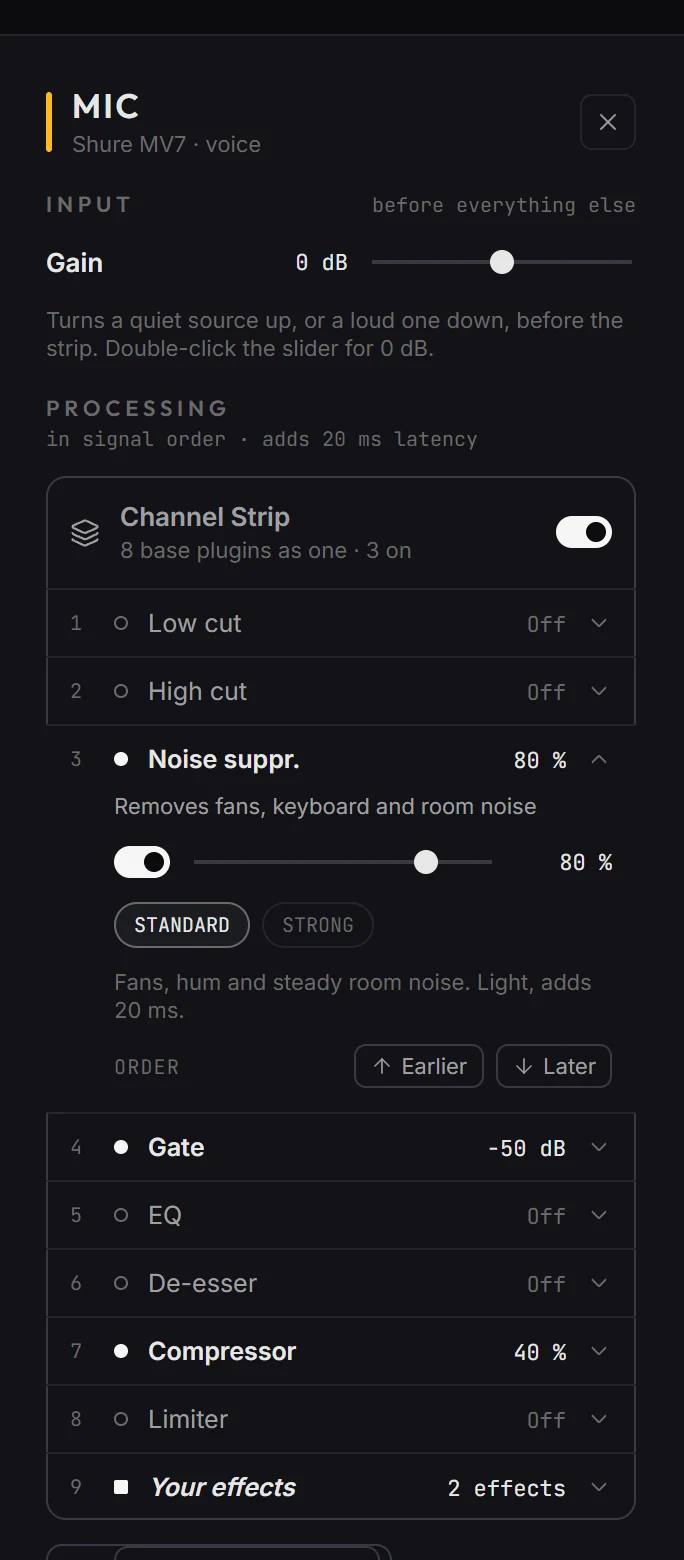
Switch the EQ to five parametric bands and it draws your sound live while you shape it. Start from a preset: Footsteps (FPS), Voices clearer, Less bass rumble, Night mode or Fuller music.
Load the effects you already own: VST3 and CLAP on Windows, VST3 and Audio Units on Mac. They run in a helper process of their own, so if one crashes, that channel keeps playing without it.
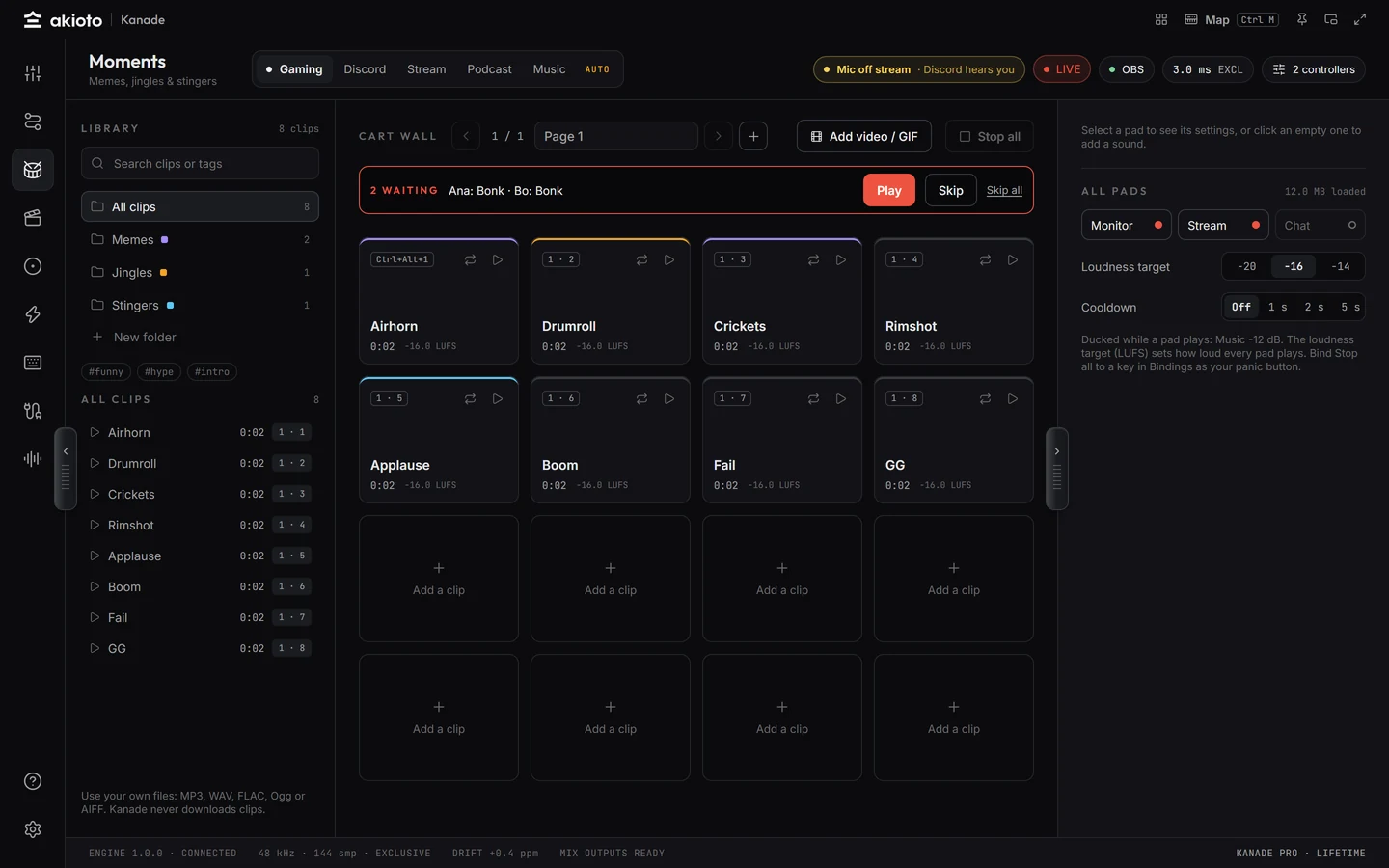
Moments
ProDrop in your own sounds and clips: MP3, WAV, FLAC, Ogg or AIFF, levelled to the same loudness. Play them from a pad, a key, a MIDI controller or your phone. They go to your stream and your headphones, not to your Discord call.
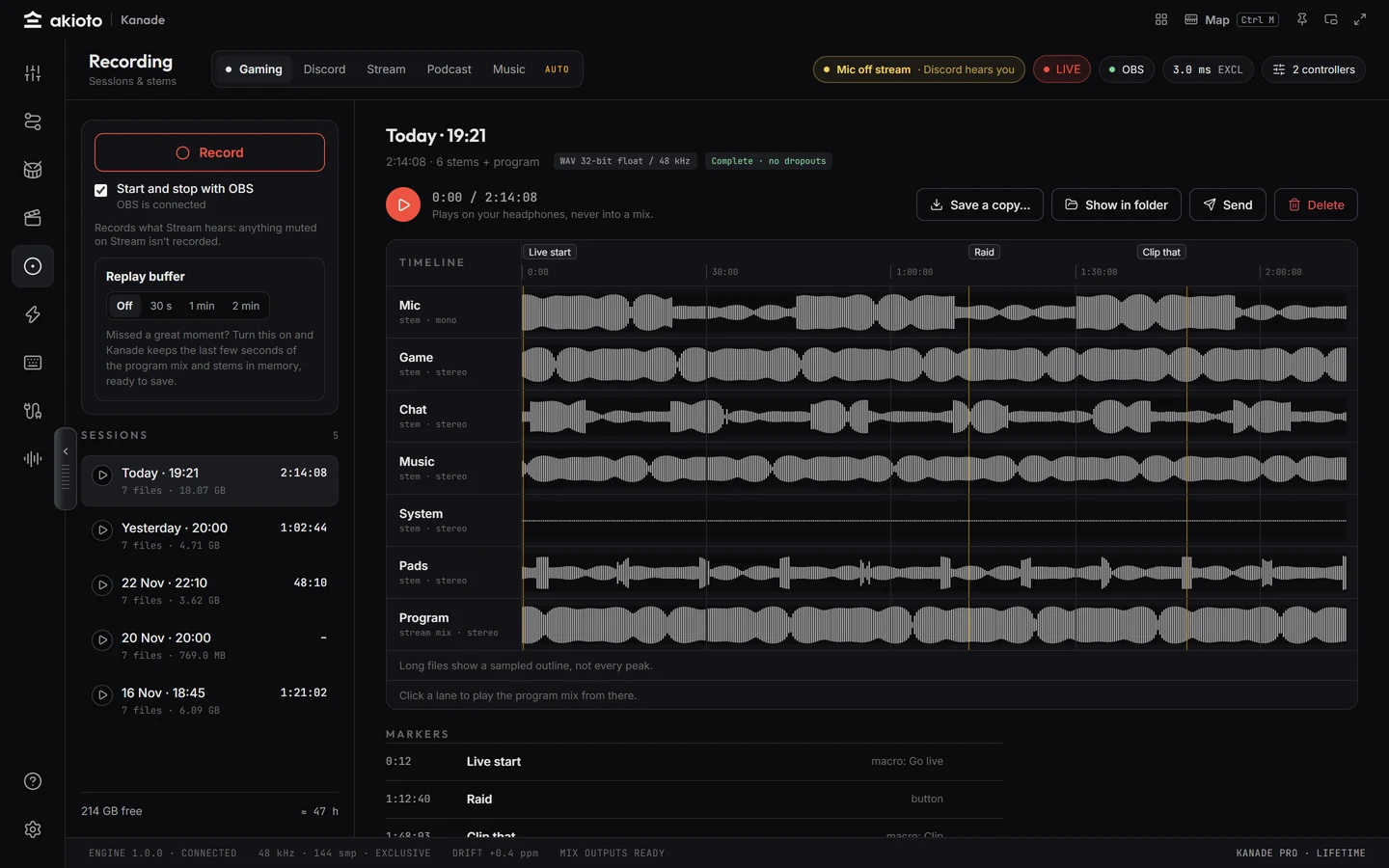
Recording
ProKanade records the stream mix and a separate file for each channel: your mic, the game, your music, Discord. Played a song or a video on stream that can’t stay in the YouTube upload? Your editor mutes that one file, only where it plays, and the rest of the mix stays as it was.
Go live with OBS
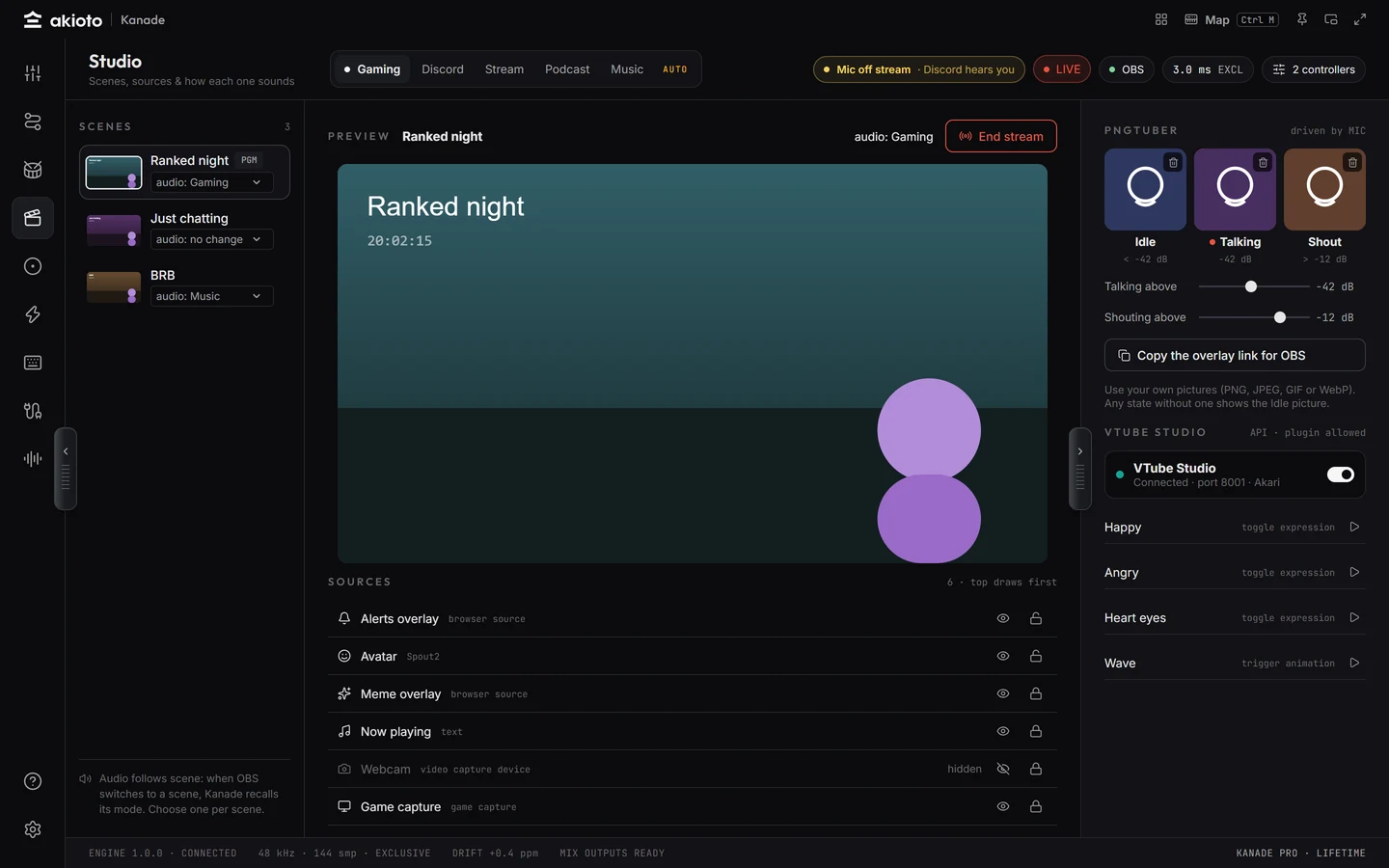
Kanade talks to OBS through obs-websocket: it switches scenes, starts and stops the stream and the recording, and recalls a mode of your mix for each scene. Put it all on one key with a macro.
Control it your way
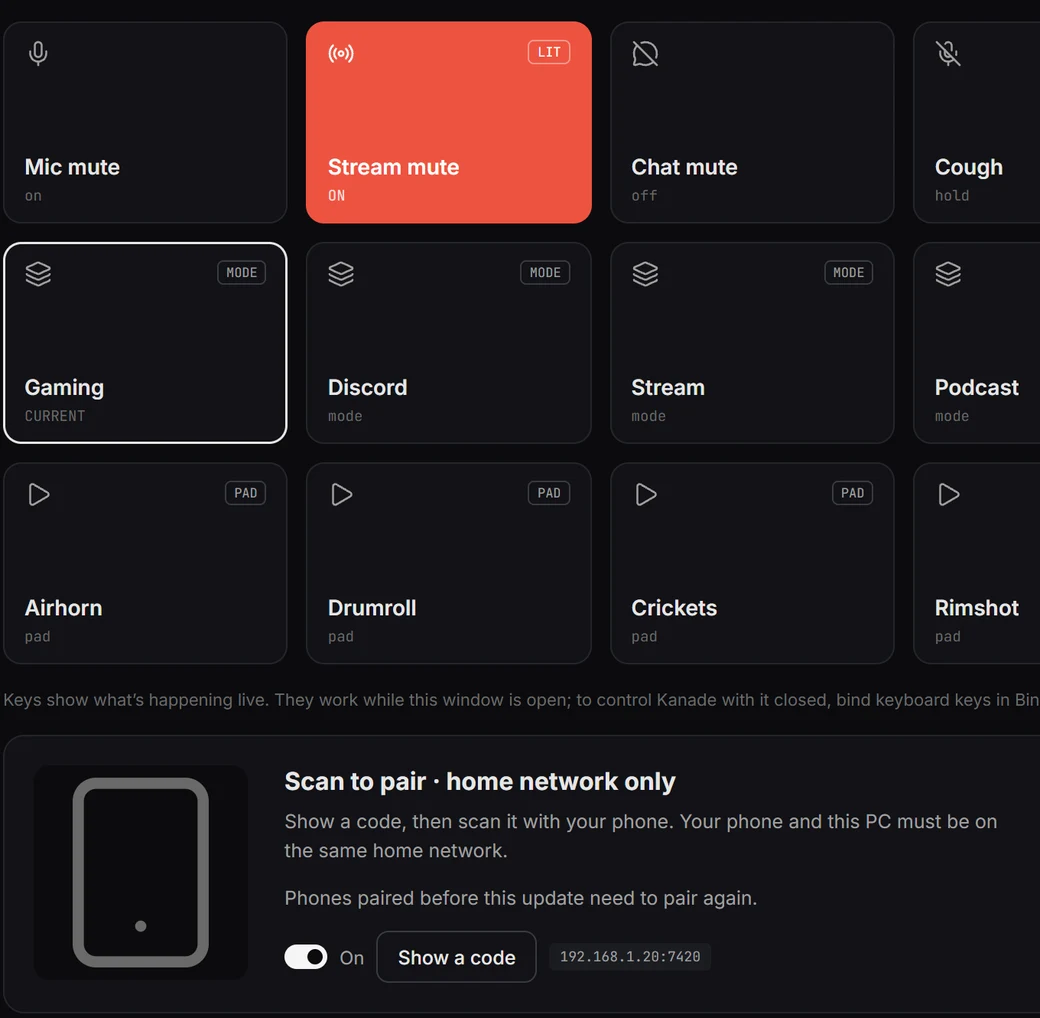
Turn on the Deck, show a code and scan it. Your phone opens your Deck in its browser, on your home network. Pairing a phone comes with Pro.
There’s an app for iPhone and iPad too: Akioto DeckKanade draws your controller as a plain diagram: move a knob to find it, point at it to see its job. Ready-made layouts for the Launch Control XL and Mackie Control surfaces such as the X-Touch. Map anything else in Map mode and print a cheat sheet. Gamepads work too.
Every device on one map, and what feeds what. Kanade flags what isn’t working, like a camera with a driver problem, and one click checks the whole setup before you go live.
Also in Kanade 1.0
Save a mix as a mode. Kanade switches by itself when a game starts, a call begins or OBS goes live.
Music steps down on the stream while you talk, and comes back when you stop.
One key, many steps: mute, fade, switch the scene, mark the recording.
Global keys, F13 to F24 included, work in fullscreen games and with the window closed. A Stream Deck can press them too.
Gamepad buttons for mutes, pads and modes.
An avatar that talks when you do, and VTube Studio expressions on a key.
A muted badge and what’s playing, as browser sources for OBS.
Control your stream PC from your gaming PC. Send audio between them with Pro.
A notification when your mic has been off stream for a while.
A small window with your faders, the mute buttons and your first Moments.
Steam games show up by their name, not as an .exe.
English, 日本語, Deutsch, Español, Français, Italiano, Português, Nederlands, Polski and Čeština.
Performance
Kanade waits in the tray with its window closed, so your keys, mutes and sounds keep working all stream. This is what that costs on our own machines.
Mac mini M1 · macOS 15.7
Seven built-in plugins on a live stereo sound
0.91%
of one CPU core, on average
Five minutes with the window closed, seven built-in plugins on a live stereo sound sent to the stream, OBS connected. Measured on 18 November 2026 with a Kanade development build.
Windows PC · Kanade 1.0
Two apps captured live, mic on
2.39%
of one CPU core, on average
Ryzen 7 5800X, Windows 11, a Shure MV7 and an SSL 2+ at 48 kHz. Six channels plus one app channel, two apps captured live (a game and a browser), the mic live, the window closed. Installed Kanade 1.0, 92 seconds, one run. On this 16-thread processor that is about 0.15% of the whole chip.
These are two different setups on two machines, so the cards don’t compare with each other. Your numbers depend on your computer, your audio device and what you load; Strong noise suppression and your own plugins use more. Memory is the physical footprint on Mac and private memory on Windows.
Security and privacy
Kanade mixes on your computer. It needs no account, it doesn’t track you, and it only goes online for the few things listed below.
Kanade Free works without signing in, and never contacts our licence provider.
No analytics, no ads and no crash reports sent behind your back.
Your message, the app version and your system. Your email only if you tick the box.
OBS overlays are served to this PC only. The phone Deck is off until you turn it on, pairs with a one-time code and encrypts every message.
The Windows installer and its updates are signed by Medusa Japan合同会社, and Kanade refuses an update that isn’t. The Mac app is notarized by Apple.
Recordings and clips stay on your disk. Kanade plays the files you choose and never downloads or uploads clips.
Free and Pro
Everything you need to mix and go live.
One payment. Three of your computers. Every Kanade 1.x update.
From Akioto
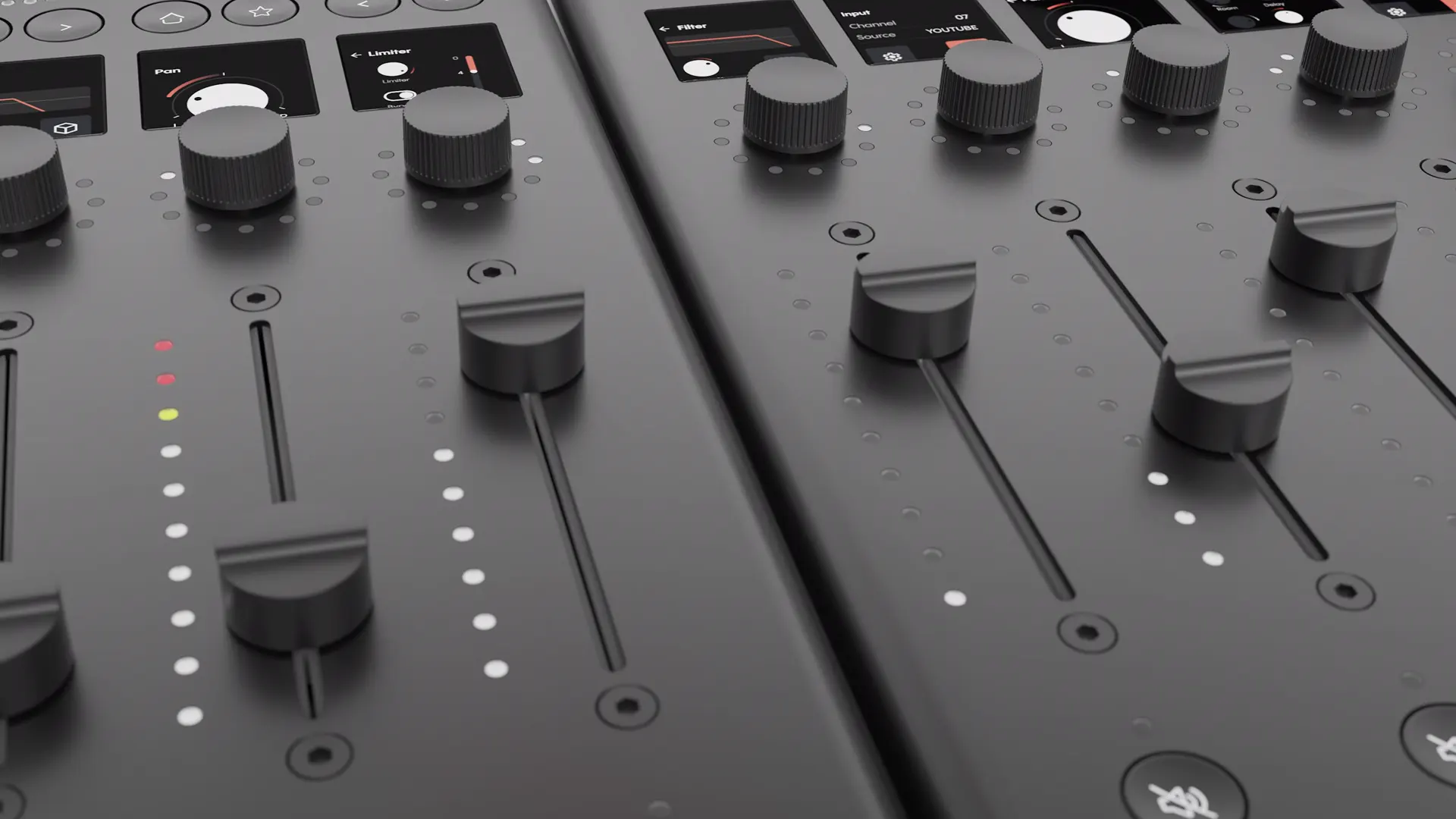
Akioto means “autumn sound”. We make tools for people who create with sound, designed in Japan with the calm of a temple roof and the precision of a fader. Kanade is the first. Hardware is designed and waiting for its moment.
Press
Everything you need to write about Akioto and Kanade.
Affiliates
For streamers, YouTubers and podcasters who already use Kanade.
One email per release, never more.